How to automate Amazon placement bid adjustments
Set up a placement rule in RedHen Labs: raise, lower or set each placement's bid adjustment or audience boosts from its own numbers, or toward a target ACoS.
A placement rule adjusts how much more you bid on the top of search, the rest of search and product pages (the placement bid adjustments), and for shoppers in Amazon audiences (audience boosts), based on each placement's own numbers. It can raise, lower or set one when your conditions hold, or steer each placement toward a target ACoS.
This guide builds one with a screenshot of each step (the control to use is ringed and numbered). It takes about five minutes.
Step 1 · Open the Placement tab
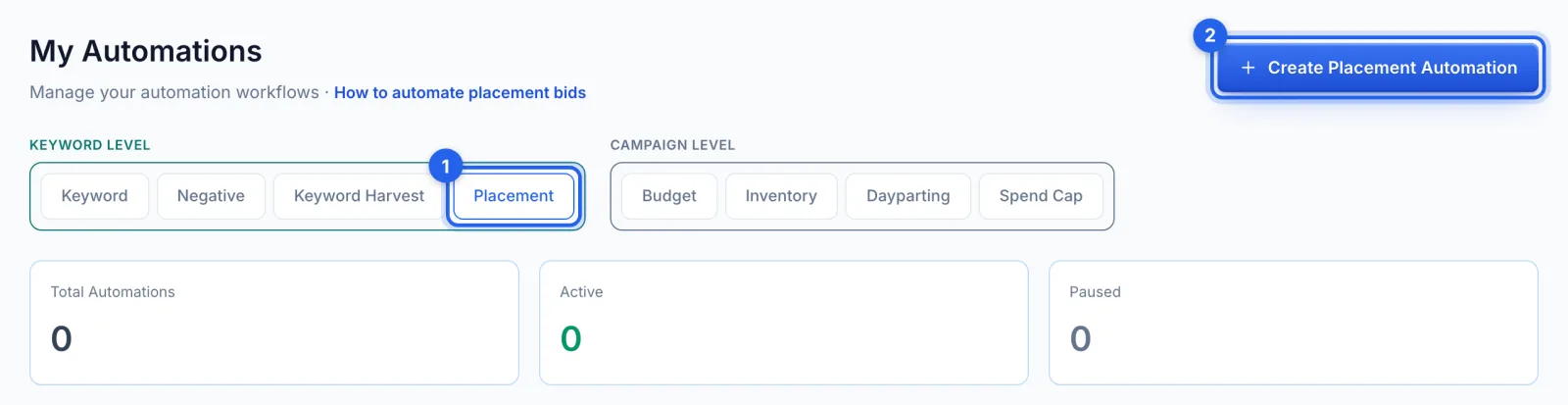
In the side menu, under Automation, click Automations (Professional plan). Under Keyword level, open the Placement tab (1) and click Create Placement Automation (2).
Step 2 · Name it and pick the campaigns
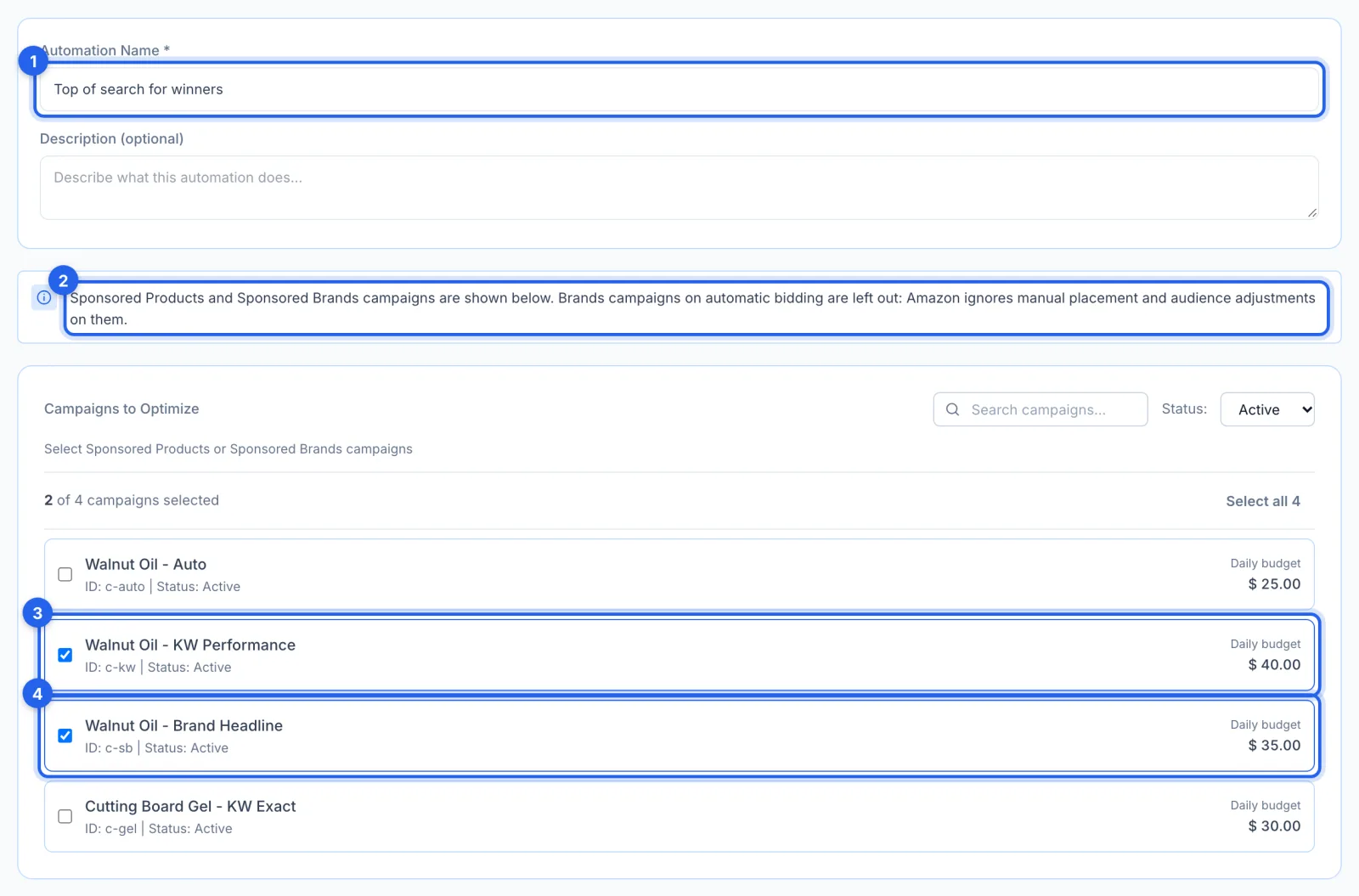
Name the automation (1). Sponsored Products and Sponsored Brands campaigns are listed (2), not Sponsored Display; Brands campaigns on automatic bidding are left out too, because Amazon ignores manual placement and audience adjustments on them. Tick the ones it manages, Sponsored Products (3) or Brands (4).
Step 3 · Say where each condition looks
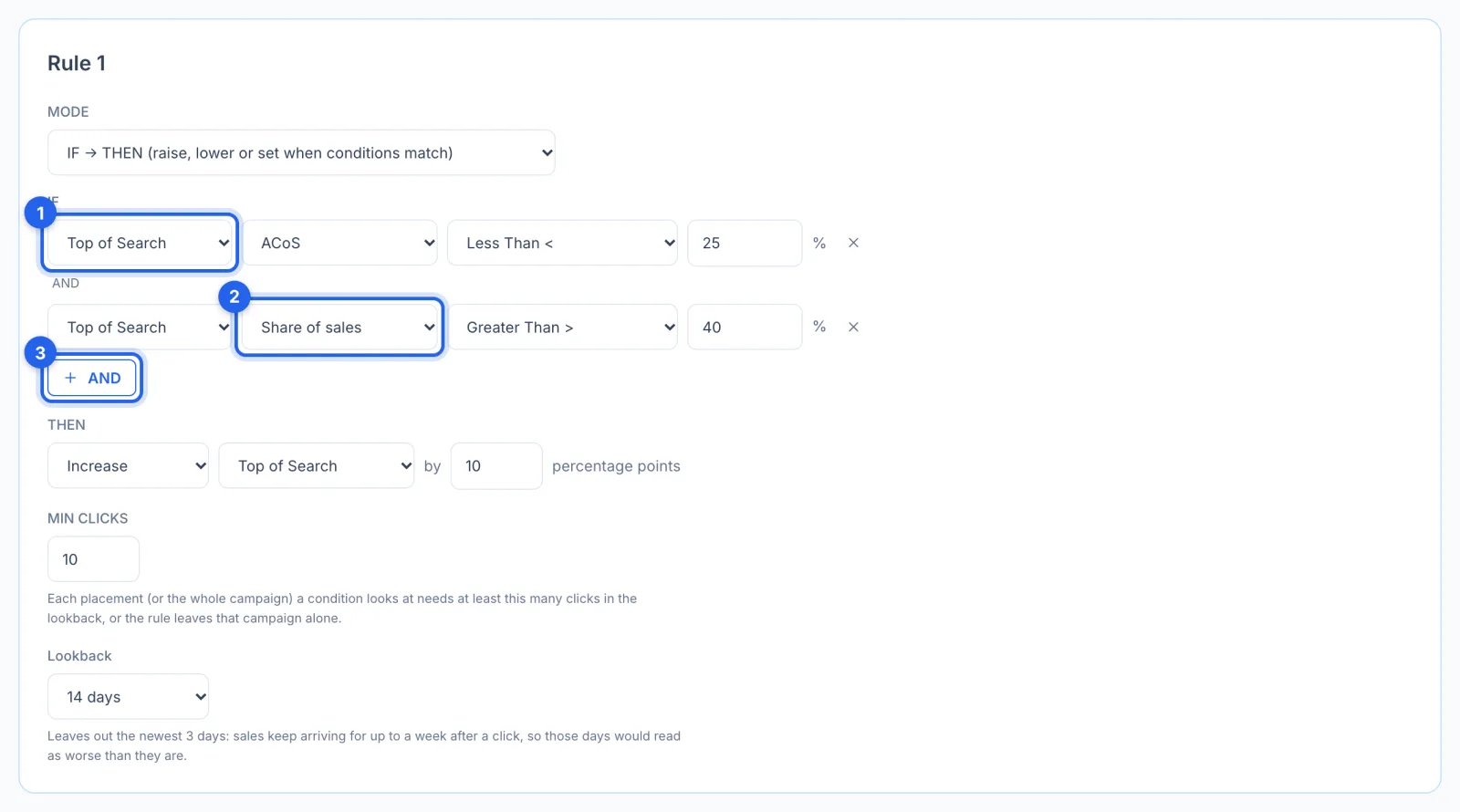
Under IF, each condition first picks where it looks (1): Top of Search, Product Pages or Rest of Search read that placement's own numbers, and Whole campaign reads the campaign's. Then the number it judges: ACoS, RoAS, Sales, Spend, Orders, Clicks, Impressions, CPC, CTR or CVR, and for a placement also Share of sales (2), Share of spend and Current adjustment. AND (3) adds another condition; all of them must hold. Here, Top of Search must sell at under 25% ACoS and bring in more than 40% of the campaign's sales.
Step 4 · Choose what changes
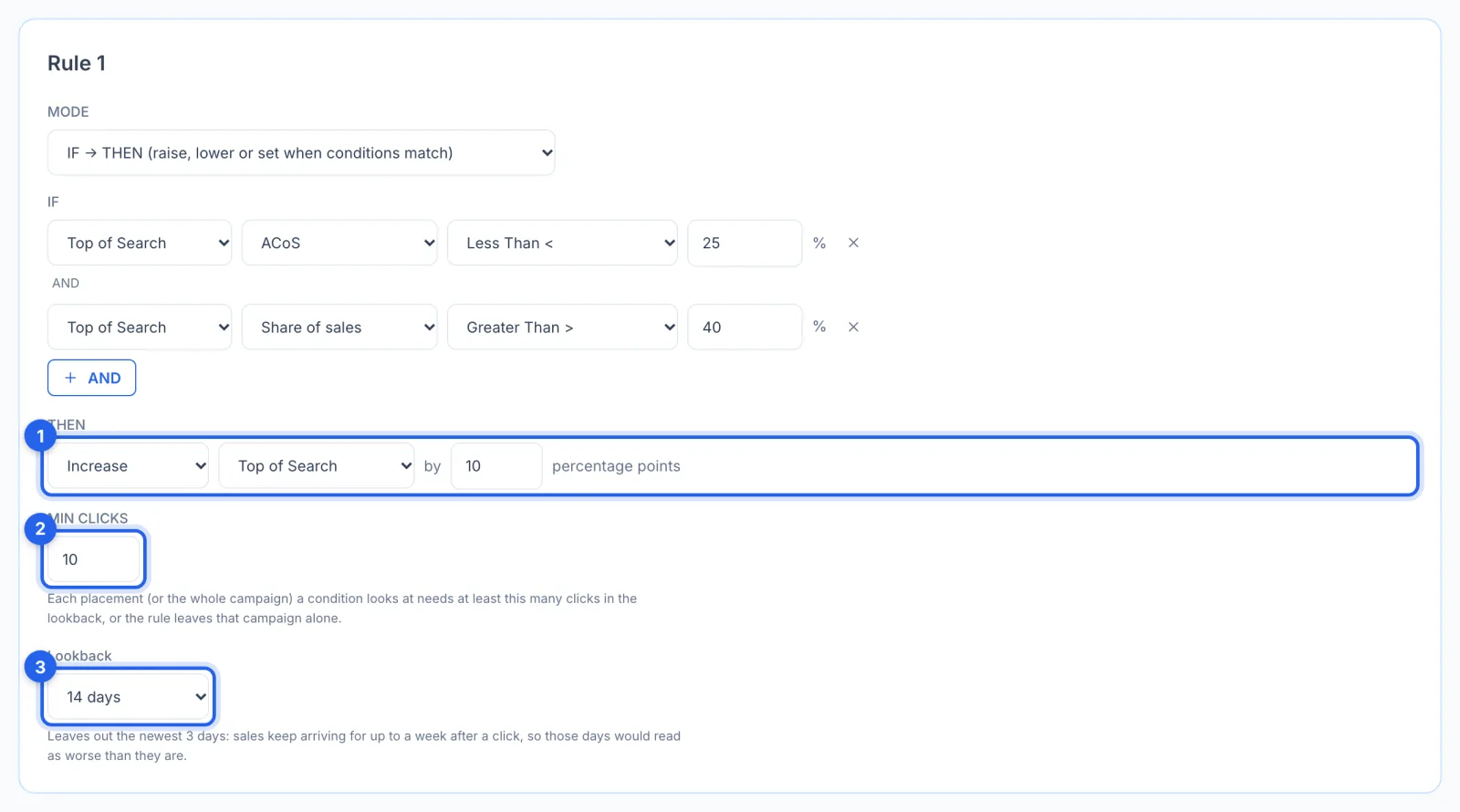
THEN (1) makes one change: Increase or Decrease moves the adjustment by percentage points, and Set puts it at a percentage. It can change Top of Search, Product Pages, Rest of Search or Audience boosts; here it raises Top of Search by 10 points. Min Clicks (2): every placement (or the whole campaign) a condition looks at needs at least this many clicks in the lookback, 10 by default, or the rule leaves that campaign alone. The Lookback (3) is 14 days by default and leaves out the newest 3 days, because sales keep arriving for up to a week after a click.
Step 5 · Add a rule for another placement
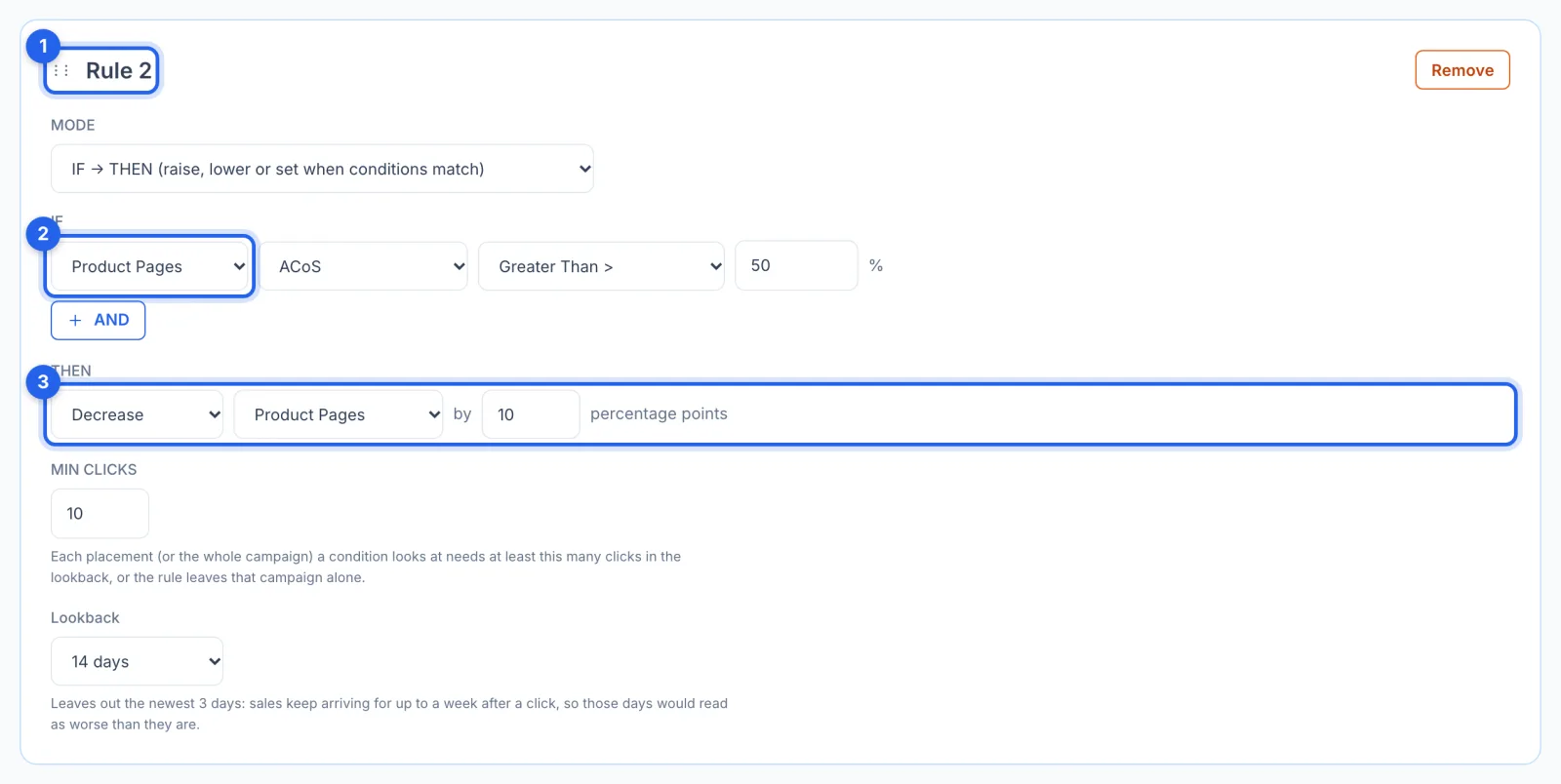
Add rule puts a new rule below the last; drag a rule by its handle (1) to change the order. Rules are checked from the top for each placement on its own: the first rule that matches a placement changes it, and the rules below are skipped for that placement only. Rule 2 here looks at Product Pages (2) and lowers them by 10 points (3) when their ACoS is over 50%, so one run can raise Top of Search with Rule 1 and lower Product Pages with Rule 2.
Step 6 · Raise or lower audience boosts
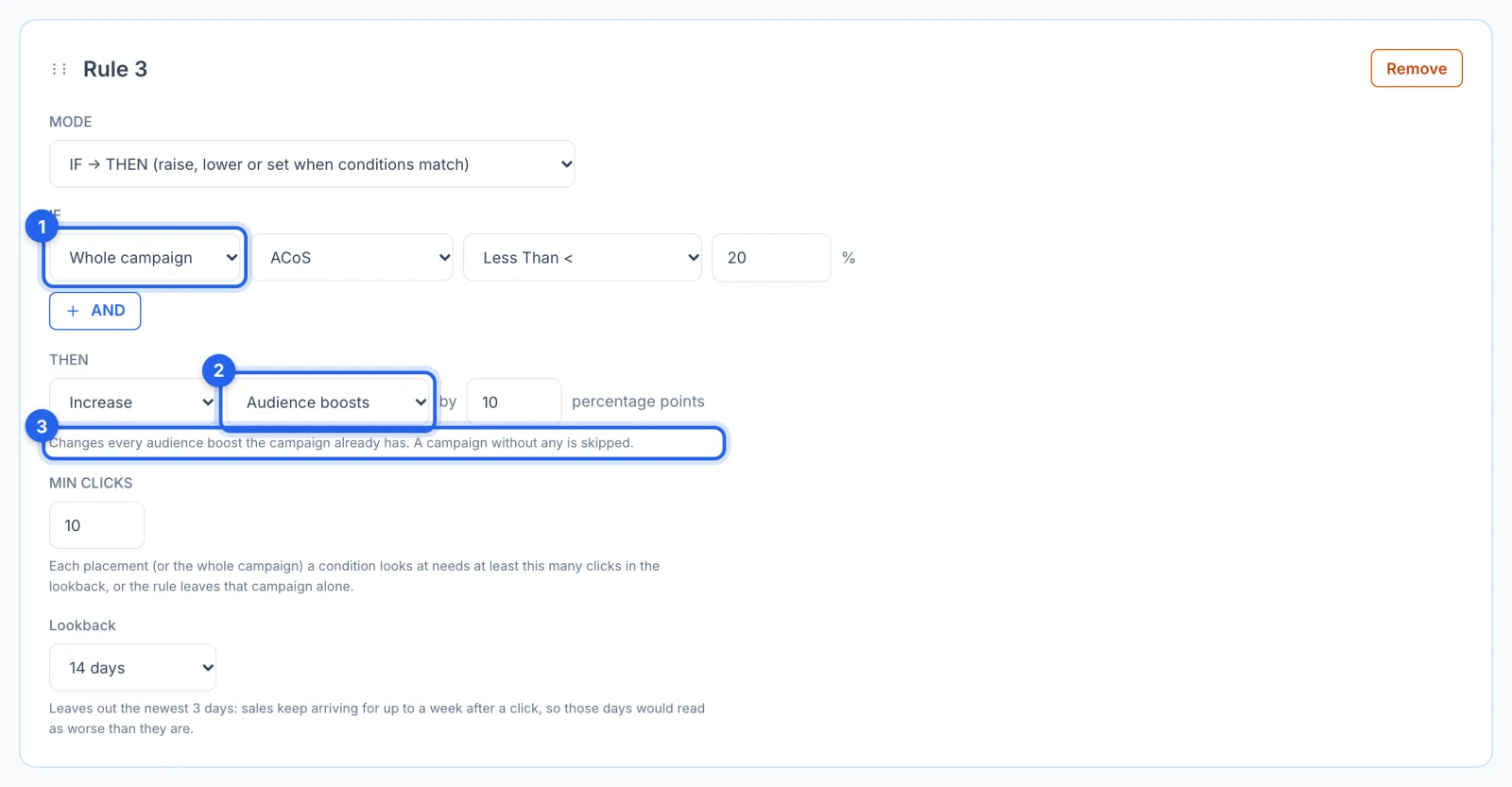
Rule 3 here looks at the Whole campaign (1): when its ACoS is under 20%, it raises the Audience boosts (2) by 10 points. That changes every audience boost the campaign already has (3), the extra bid for shoppers in an Amazon audience; a campaign without any is skipped, and none is added. Placement and audience adjustments multiply on the same click, so one run changes a campaign's placements or its audience boosts, never both; the other waits for the next run.
Step 7 · Or steer toward a target ACoS
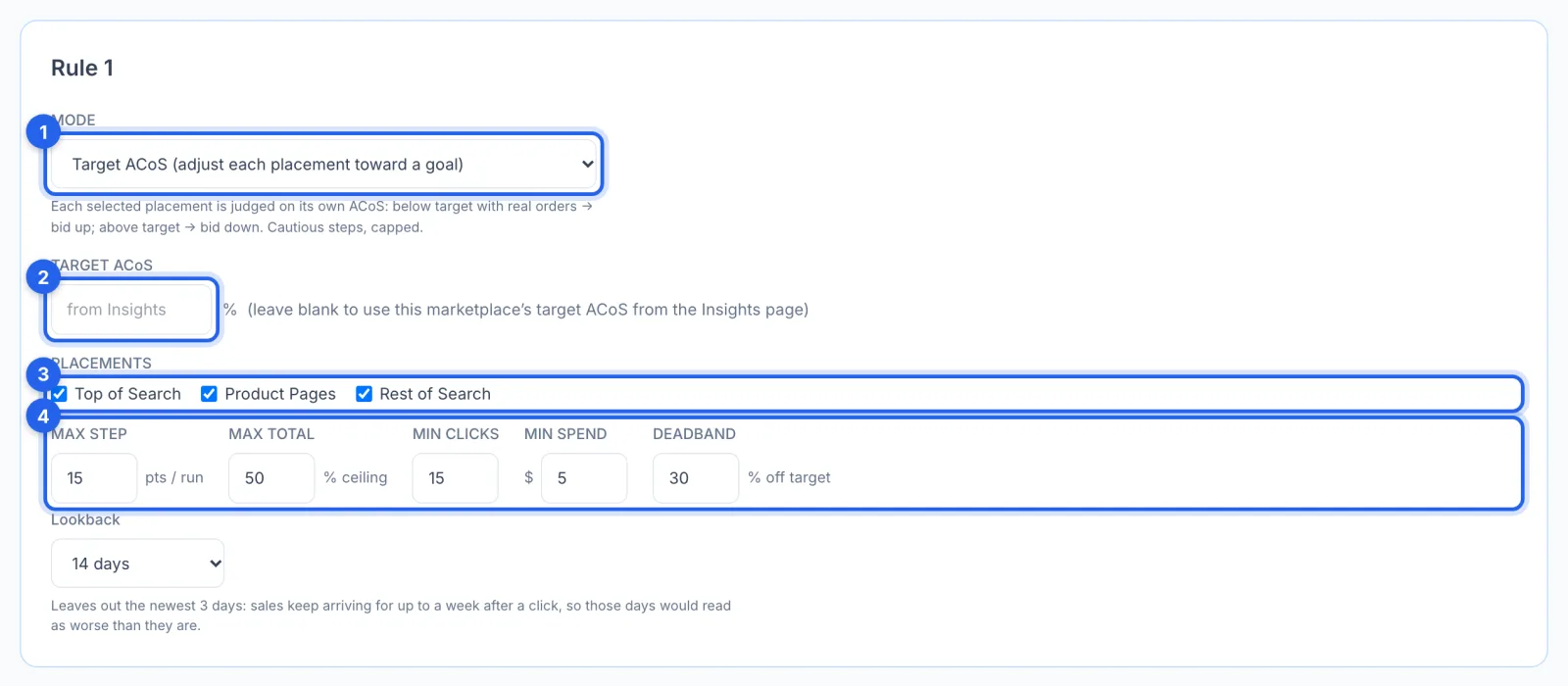
Target ACoS mode (1) judges each placement on its own ACoS: below the target with real orders, it bids up; above it, down. Set the target (2), or leave it blank to use the target ACoS set on Insights for this marketplace (35% until you change it), and pick the placements (3). The limits (4) keep it cautious: at most 15 points a run, never past 50%, only after 15 clicks and $5 of spend, and no change within 30% of the target.
Step 8 · Set the guardrails, schedule and save
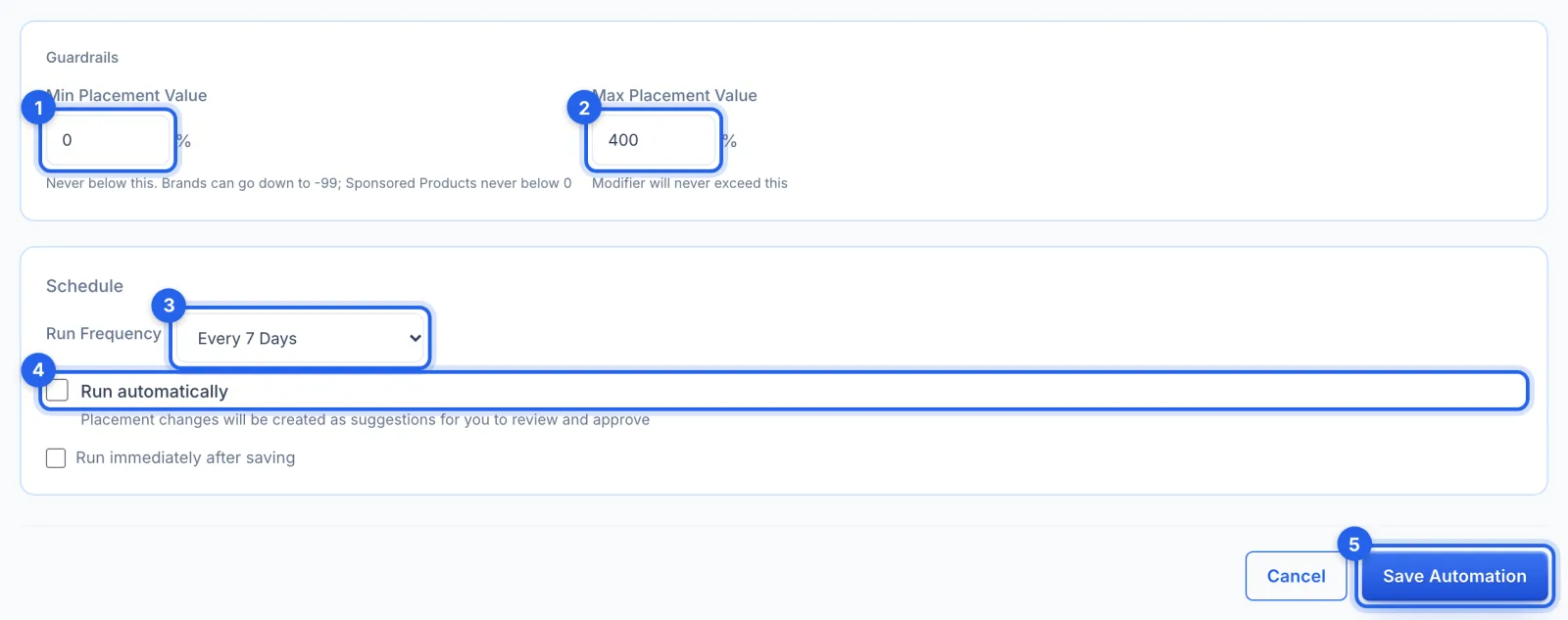
Min (1) and Max Placement Value (2), 0% and 400% by default, are the bounds no rule goes past, audience boosts included. Sponsored Products never goes below 0%; a Brands campaign can, down to -99%, if you set Min below 0. Run Frequency (3) is every 7 days by default; leave Run automatically (4) off to approve each change in Suggestions. Click Save Automation (5).
Good to know
- Sponsored Products and Brands, not Display. Brands campaigns on automatic bidding are left out, because Amazon ignores manual adjustments on them. A Brands campaign's Home placement has no numbers of its own (Amazon reports it inside Rest of Search), so no rule changes it.
- It multiplies your bids. An adjustment of 50% on top of search means every bid in the campaign is 50% higher there, and an audience boost multiplies on top of that, so move in small steps.
- A change waiting for you holds its place. While one of its changes waits in Suggestions, the automation suggests nothing new for that placement, or for that campaign's audience boosts, until you approve or reject it.
- History lists placement and audience boost changes without Undo; you can set placements by hand on the campaign's page (see How to manage a campaign's keywords, bids and placements).
- The AI can do this too. An AI profile can suggest placement changes, which always wait for your approval.